Put your KPIs where you'll see them
I don't open a dashboard to check my App Store sales anymore. They sit on a small e-ink screen on my desk and update twice a day. Here's how it works, and why it isn't really about the App Store.
I don't open a dashboard to check my App Store sales anymore. They sit on a small e-ink screen on my desk, and they update twice a day whether I think about them or not.
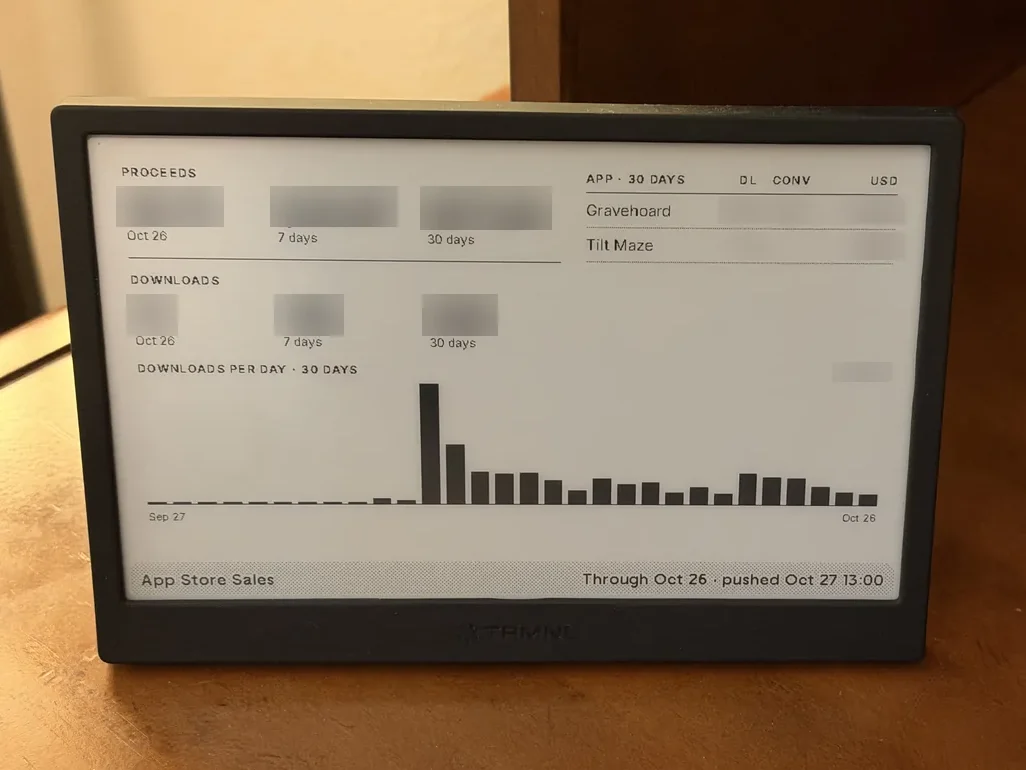
The real thing, on my desk. I've blurred the figures.
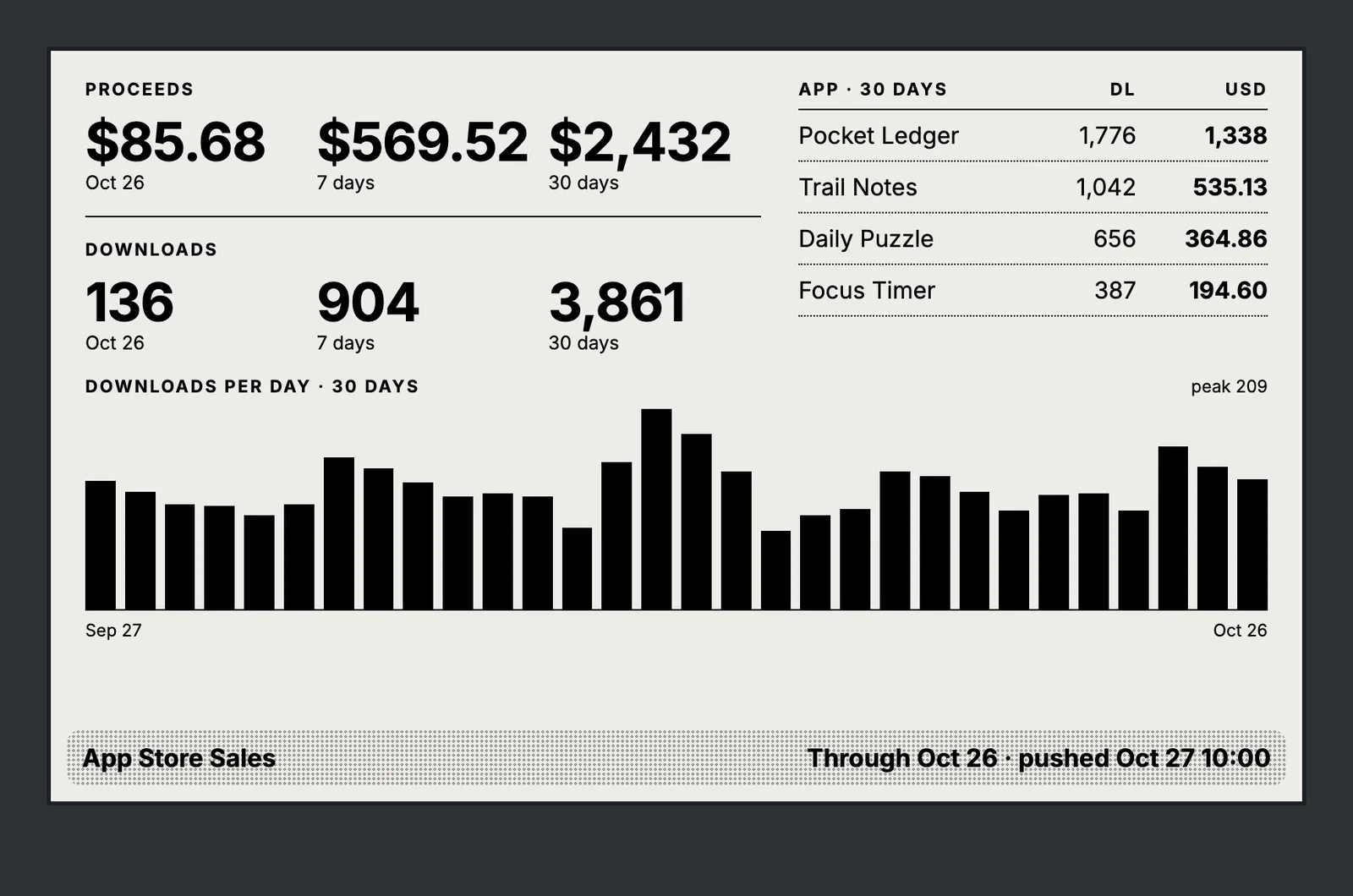
Demo data. The system is real, but the numbers and app names are made up.
What it is
The screen is a TRMNL, an 800 by 480 e-ink display meant to sit on a desk or a shelf. You don't install apps on it. You send it data, and it draws that data with a template you write.
The data comes from a small program running on a Mac at home.
How it works
- Twice a day, at 10am and 10pm, the program asks Apple for new sales reports. It uses the App Store Connect API with a key that can only read sales reports, nothing else. It keeps the days it has already seen, so each run only fetches what's new.
- It does the math. Downloads and proceeds for the latest day, the last 7 days, and the last 30 days. A breakdown by app. A bar chart of downloads per day. Sales in other currencies get converted to dollars.
- It sends the totals to TRMNL. Only the totals, in a message smaller than 2 KB. My Apple key never leaves my Mac.
- The screen picks them up on its next refresh and draws them.
There's a little more under the hood. Apple's reports run a day or two behind, so the screen shows the date the numbers are through rather than pretending it's today. If a run fails, a monitor on my home server tells me. But that's the whole idea: fetch, add up, push, display.
Where AI came in
I built this with Claude Code in one afternoon.
I described what I wanted on the screen and where the numbers come from. Claude wrote the code that talks to Apple, the math, the tests, the display template, and the schedule that runs it twice a day. My job was the decisions only I could make. What counts as a download (first-time installs, not updates). What to do when Apple's report isn't ready yet. Which numbers deserve space on a small screen.
The first version on the actual device had two problems: the font fell back to a serif, and the chart squeezed itself into a narrow strip in the middle of the screen. I described what I saw, and both were fixed within minutes.
A few years ago this would have been a weekend project, and I'd probably have given up partway through on the template. Now it's an afternoon.
It's not about the App Store
The App Store is just where my numbers happen to live. The same pattern works for any number that has an API behind it:
- Website visitors today and this week
- New leads in your CRM
- Open support tickets
- Tomorrow's bookings
- Cash in the bank
A browser dashboard is one more tab you have to remember to open. A screen on your desk is one you glance at while your coffee cools. That difference matters more than I expected.
Put your KPIs on your desk, or on a screen on the wall where the whole team sees them. Nobody has to send a report, and everyone is looking at the same numbers.
What number would you put on it?
If there's a number you wish you saw every morning without logging in to anything, that's the kind of thing I build for small businesses at Fast Wombat. Tell me what it is.
Questions or thoughts? Discuss this post on LinkedIn.